 PuttBay
Putting with a Rapsodo MLM2PRO in GSPro: your options
Last updated 2026-09-30
The short answer: the MLM2PRO doesn't read putts. In GSPro that leaves you two routes:
- GSPro's official Rapsodo license. GSPro talks to the MLM2PRO itself and handles the green with its auto putt modes. You can't add camera putting to those rounds.
- GSPro's Open API license with springbok, a free community connector you install yourself. This is the route where you can putt a real ball under a camera and have GSPro play it.
On both routes, Rapsodo's own requirements still apply: a Premium membership, and approving your PC in the Rapsodo app every 24 hours.
What Rapsodo says about putting
Rapsodo is upfront about it: "The MLM2PRO does not include a built-in putting feature. Therefore, you'll need to select between two auto-putt settings; Auto Putt Random or Auto Putt Fixed." The same article suggests trying GSPro's Pick Your Putt, where you putt on a mat and enter the result yourself. (Rapsodo, March 2025)
That's the official position. Everything below is about what you can do around it.
Route 1: GSPro's official Rapsodo license
How it works. You pick the MLM2Pro license type when you buy GSPro, or convert your existing key. GSPro's conversion tool marks that choice "Requires a Premium Membership from Rapsodo" (GSPro license conversion). Then:
- You authenticate in the Rapsodo app. GSPro's guide: "It is required that you Authenticate your MLM2Pro to be used with GSPro every 24 hours." (GSPro Rapsodo guide)
- GSPro Connect talks to the MLM2PRO over Bluetooth for your full shots.
- After you approve, turn Bluetooth off on your phone. GSPro warns that "the PC and the mobile device may fight for the Bluetooth connection otherwise." (GSPro troubleshooting)
Putting on this route:
- Auto Putt Random or Auto Putt Fixed, as Rapsodo suggests.
- Pick Your Putt. Roll the putt on your real mat from about the right distance, then enter what you made. It's the most honest of the three.
- A gimme circle, set anywhere from 2 to 20 feet.
What you can't do: add camera putting. On this license, GSPro Connect owns the connection to your launch monitor and GSPro handles putting itself. Webcam putting tools send their putts through GSPro's Open API, which this license doesn't use. As springbok's maintainer put it to one golfer: "you have to use the gspro openapi license" (springbok discussion).
Good for: golfers who want the officially supported setup, with the fewest moving parts, and don't mind the game doing the putting.
Route 2: Open API license with springbok
How it works. Your GSPro license is the OpenAPI type. The MLM2PRO reaches GSPro through springbok, a free, open-source connector (GPL-3.0) made by the golf-sim community. It isn't made by Rapsodo or GSPro. You download it yourself from its GitHub page, which describes it as a GSPro connector for the MLM2PRO "that includes Webcam or ExPutt putting."
Rapsodo's rules don't change. You still need a Premium membership for simulator play with other software, and you still approve the PC in the Rapsodo app every 24 hours. Nothing about this route gets around that, and nothing should.
Putting on this route:
- Real putts with a camera. springbok's own webcam putting is built on community tracking software that recommends an orange ball and tuning color settings by hand for your camera (cam-putting-py README). It works when it's dialed in; lighting changes are the usual headache.
- A putting device. springbok also supports ExPutt.
- PuttBay's camera putting (below).
- GSPro's auto putt and gimmes still work here too, whenever you want a quick round.
Good for: golfers who want to actually putt in their rounds and don't mind one more app on the PC.
The two routes side by side
| Official Rapsodo license | Open API license with springbok | |
|---|---|---|
| Who talks to the MLM2PRO | GSPro Connect | springbok |
| Rapsodo Premium and daily approval | Yes | Yes |
| Putting in rounds | Auto putt, Pick Your Putt, gimmes | The same, or a real putt with a camera or putting device |
| Setup | Simplest | One more app to install and keep updated |
| Who supports it | GSPro and Rapsodo | The community (and PuttBay, if you use it) |
To switch between them, use GSPro's conversion tool, then clear your GSPro Connect settings as that page says.
Common snags on the springbok route
- "It connected yesterday." Rapsodo approval runs out every 24 hours. Open the Rapsodo app, go to third-party apps, and approve the PC again.
- springbok can't find the unit. Turn Bluetooth off on your phone or tablet, wake the MLM2PRO, and try again.
- A stuck pairing. In Windows Bluetooth settings, the MLM2PRO can show up as "MLM2" or "BlueZ". GSPro's troubleshooting page says to delete both if both are there, then pair again.
- springbok closes or drops after a Windows update. springbok's version 1.04.51 lists a fix for "Bluetooth issues after Windows update causing connector to close or drop the BT connection" (release notes).
- "GSPro API window not found." Usually the license isn't Open API, or GSPro Connect is still set to another device. Every cause and fix is here.
- Putts and full shots fighting. GSPro accepts one connection at a time, so a separate putting app and springbok can't both connect directly. Why, and how to run both.
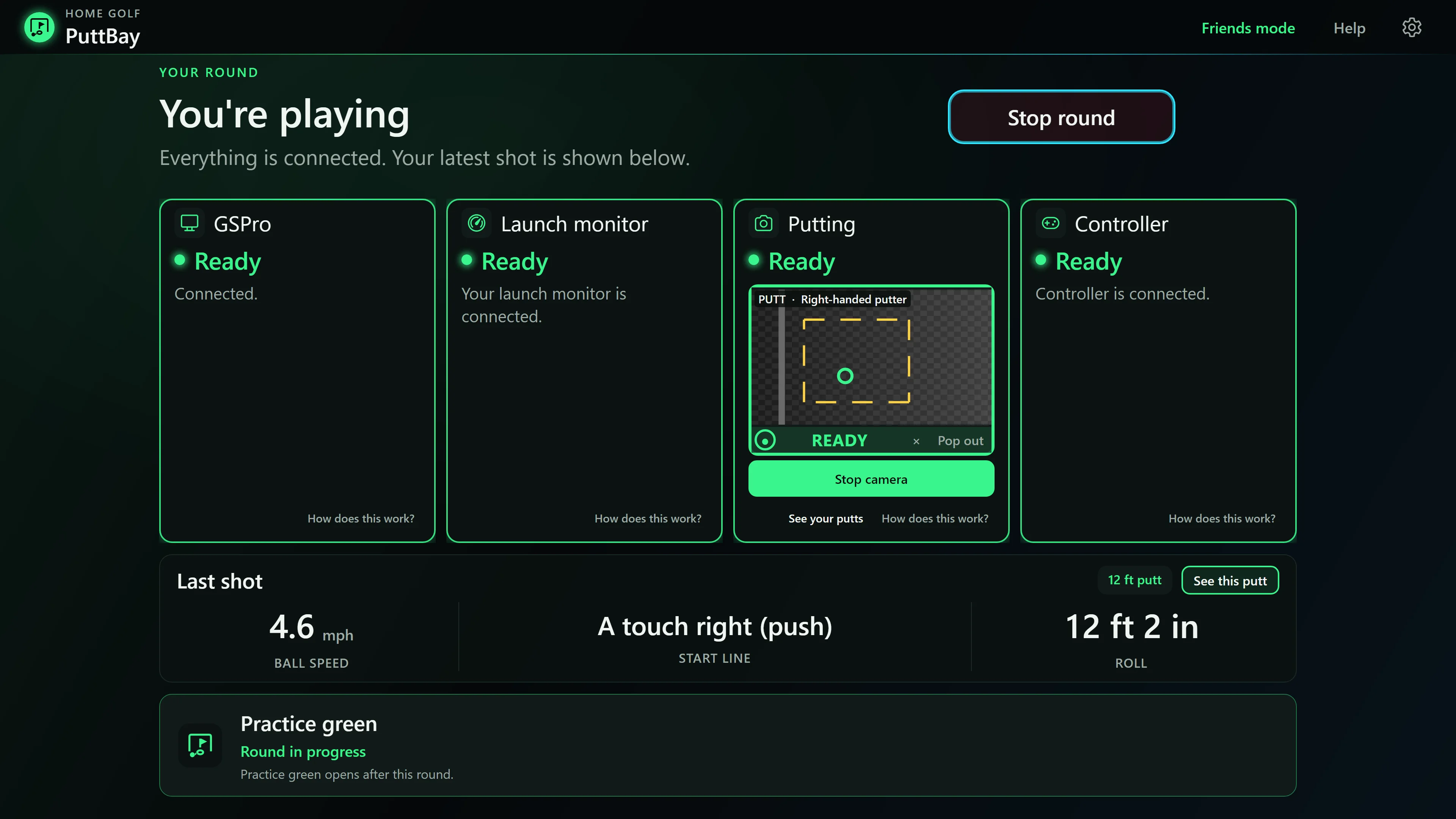
Where PuttBay fits
PuttBay is a Windows app that runs the springbok route for you and adds camera putting. It's free during the beta.
- It works with the springbok you installed. PuttBay finds it, points it at PuttBay, starts it minimized and reconnects it with one press: Reconnect launch monitor.
- It stays hands-off. PuttBay never bundles or downloads springbok, and changes only two of its settings: where it sends shots (to PuttBay), and springbok's own camera putting (switched off, so the two apps never fight over your camera). Put springbok back as it was restores both.
- It never talks to the MLM2PRO itself. springbok does. PuttBay tells you in plain words when Rapsodo's approval has run out and what to do next.
- Full shots and real putts in one round. Your MLM2PRO handles the full shots through springbok, and the camera over your mat reads your putts. Putts go to GSPro only when GSPro has your putter selected.
- On the official Rapsodo license, PuttBay can't add camera putts to your rounds. Its practice green still works with your camera.
PuttBay is an independent product and is not affiliated with GSPro, Rapsodo, Garmin, FlightScope or Square. Product names are used only to describe compatibility.